> ## Documentation Index
> Fetch the complete documentation index at: https://docs.quantbe.com/llms.txt
> Use this file to discover all available pages before exploring further.
# Compare
> Compare Data Effortlessly.
## Compare
The Compare function simplifies the analysis of two values within a financial stock perspective. This efficient tool allows users to effortlessly assess and contrast key metrics, empowering them to make informed decisions in the dynamic landscape of the stock market.
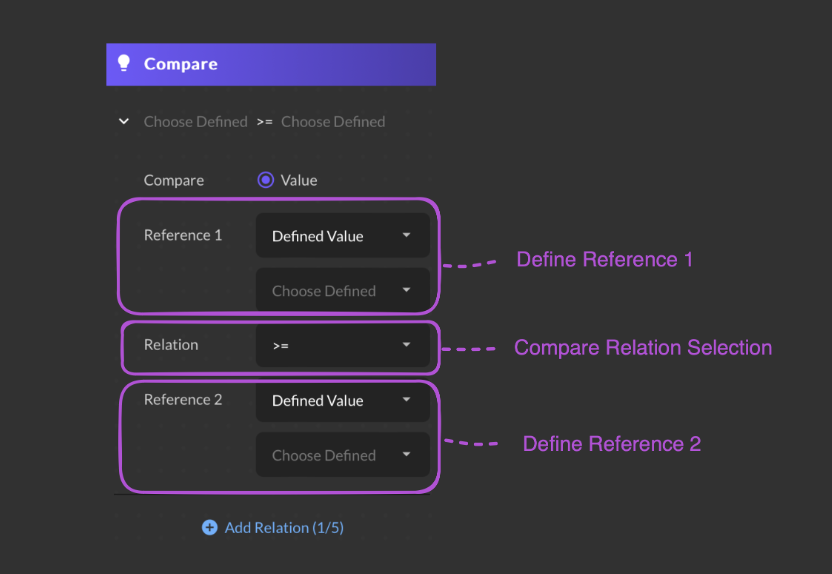 Assess by comparing two references based on its value.
Users are required to input values, and they have the option to either manually enter the values or select from a dataset saved in the database.
Choose from a mathematical relation
Assess by comparing two references based on its value.
Users are required to input values, and they have the option to either manually enter the values or select from a dataset saved in the database.
Choose from a mathematical relation