

Introduction
Watcher is your ultimate toolkit for simplified stock trend analysis and staying updated with real-time economic and sector news. With interactive features like company overviews, news feeds, calendars, stock charts, trading signals, screeners, and watchlists, Watcher puts all the essential tools at your fingertips. Easily switch to live trading mode to add a scheduler and seamlessly navigate financial markets. Whether you’re a seasoned investor or just starting out, Watcher is your go-to resource for success in the world of investments.
Calendar
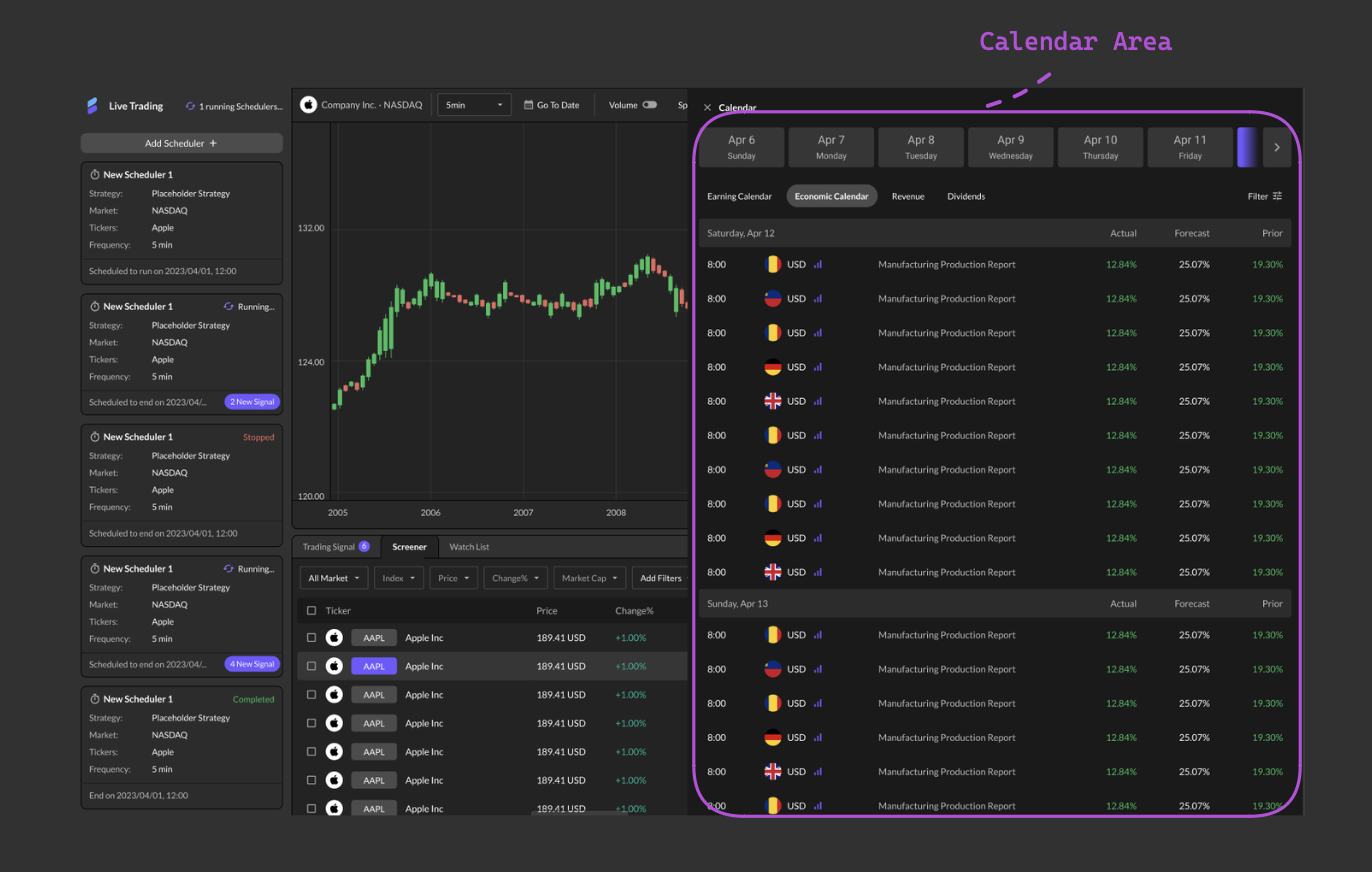
The Calendar feature in Watcher offers comprehensive insights into economic, earnings, revenue, and dividend events. It displays events occurring seven days before and after the current date, aiding investors in strategic decision-making. The Economic Calendar highlights key economic indicators and central bank meetings, providing forecasts, previous values, and actual data.Similarly, the Earnings Calendar showcases upcoming earnings releases for publicly traded companies, featuring expected and actual earnings per share (EPS) figures. Additionally, the calendar includes revenue events, indicating when companies are expected to report their revenue figures, and dividend events, marking scheduled dividend payments to shareholders. By staying informed about these events, investors can anticipate market movements and adjust their investment strategies accordingly.
News
This section keeps investors updated on relevant industries, helping them stay informed about current trends and new opportunities. Users can quickly browse the latest news articles by clicking the “Refresh” button, ensuring they have the most up-to-date information.Screener
The Screener feature enables users to filter stocks based on various parameters like market capitalization, price-to-earnings ratio (P/E ratio), volume, and sector. By utilizing these filters, investors can streamline their search and identify potential investment opportunities that match their specific preferences and objectives. Whether searching for undervalued stocks or identifying growth prospects, the Screener serves as a valuable tool for conducting thorough research and analysis in the financial markets.Watchlist
The Watchlist feature serves as a centralized platform for investors to monitor, compare, and manage their selected stocks efficiently. Clicking on a ticker in the Watchlist triggers interactions with the stock chart, company overview, and related news sections, providing users with comprehensive information about the stocks they are monitoring.Within the Watchlist, users have access to three key functionalities:
Quote Detail
Quote Detail
This section provides comprehensive data for each stock, including Price Change%, Volume, Relative Volume, Market Cap, and P/E ratio, offering insights into the current status of selected stocks.
Performance Table
Performance Table
Users can review performance metrics such as Price Change on specific dates, comparisons with the S&P 500, and Beta values, facilitating evaluations of historical performance and informed decision-making.
Performance Chart
Performance Chart
This section enables users to visually compare the performance of multiple tickers using a line chart over the same time span, aiding in comparative analysis within the same industry and providing insights into industry trends and individual variations.